The Ultimate Wedding Photo Backup Strategy: Protecting Your Memories in 2025
Don't risk losing your wedding memories. Learn the professional 3-2-1 wedding photo backup strategy to protect your digital files from hardware failure and data loss.
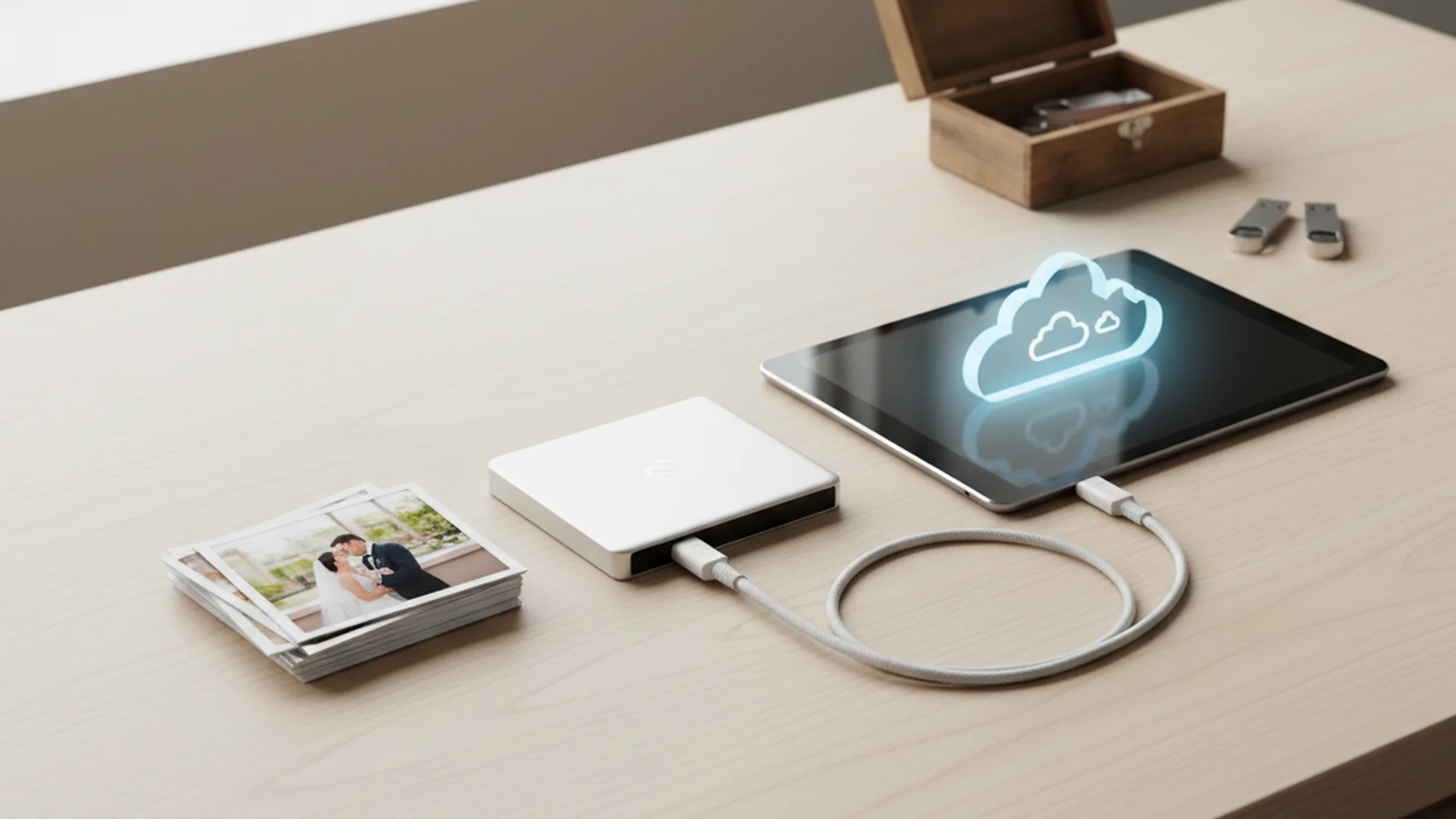
- Implement the 3-2-1 rule: 3 copies, 2 media types, 1 offsite.
- Understand the difference between cloud syncing and true cloud backup.
- Use tiered storage (Hot, Warm, Cold) for maximum data security.
Your wedding day is a collection of fleeting moments, captured forever through the lens of a camera. However, in our modern era, those memories are more fragile than you might think. Unlike the physical negatives our parents tucked away in shoeboxes, digital files are susceptible to bit rot, hardware failure, and accidental deletion. Developing a robust wedding photo backup strategy is the only way to ensure that twenty years from now, you can still look back at your first dance with the same clarity you have today.
As a professional vow ghostwriter, I often talk to couples about the legacy of their words. But a legacy isn't just spoken; it is seen. If you’ve spent months planning and thousands of dollars on photography, leaving the safety of those images to chance is a risk you cannot afford to take.
The Reality of the Digital Dark Age
Historians and tech experts have warned of a "Digital Dark Age." This refers to a future where our current digital records may become unreadable due to obsolete file formats or decayed hardware. In fact, 2025 statistics estimate that the average person loses approximately 20% of their digital photo library over a lifetime.
Digital data is not "set it and forget it." It requires active management. Roughly 68% of digital images are never viewed again after the first week of being taken, often because they are buried in unorganized, unbacked-up folders that eventually vanish when a laptop screen goes black for the last time.
Note
The Gold Standard: The 3-2-1 Rule
The cornerstone of any professional wedding photo backup strategy is the 3-2-1 Rule. This industry-standard workflow is used by photographers and data centers alike to ensure that no single point of failure can wipe out a library.
- 3 Total Copies: You should have your primary working files plus two backups.
- 2 Different Media Types: Store your photos on different types of hardware (e.g., one on an Internal SSD and one on a physical External HDD).
- 1 Copy Offsite: At least one backup must be physically located somewhere else (e.g., the Cloud or a fireproof safe at a relative's house).
Real-World Example: The "Redundancy" Save
Imagine a photographer shoots a wedding. They have the images on their laptop (Copy 1). They back them up to a portable SSD in their office (Copy 2). Finally, the images are uploaded to a cloud service like Backblaze (Copy 3 - Offsite). If a pipe bursts in their office, the laptop and SSD are ruined, but the memories are safe in the cloud.
Professional On-Site Redundancy
For photographers, the backup strategy begins the second the shutter is pressed. Professional-grade cameras feature dual card slots.
The Dual Slot Rule
Never hire a photographer who only uses a camera with one SD card slot. In a professional workflow, the camera writes the same image to two cards simultaneously. If Card A becomes corrupted during the reception, Card B still holds the data.
Checksum Verification
When moving photos from an SD card to a computer, pros don't just "drag and drop." They use verified copy software like OffShoot or Hedge. These tools perform "checksum verification," comparing the source file to the destination file bit-by-bit to ensure not a single pixel was lost or corrupted during the transfer.
Heads up
Choosing Your Hardware: SSD vs. HDD
In 2025, the debate between Solid State Drives (SSD) and Hard Disk Drives (HDD) is about use-case rather than just price.
| Feature | SSD (Solid State Drive) | HDD (Hard Disk Drive) |
|---|---|---|
| Best For | Active editing and travel | Long-term "Cold" archiving |
| Durability | High (no moving parts) | Low (sensitive to drops) |
| Capacity | Improving, but expensive | Massively high (up to 24TB+) |
| Speed | Extremely Fast | Slow |
Tiered Storage Strategy
To manage a massive wedding gallery effectively, use a tiered approach:
- Tier 1 (Hot): A high-speed portable SSD (like a Samsung T7 Shield) for your active editing and frequent viewing.
- Tier 2 (Warm): A local NAS (Network Attached Storage) system, such as a Synology unit, which provides immediate redundancy in your home or office.
- Tier 3 (Cold): An encrypted 24TB enterprise-grade HDD stored in a fireproof safe or an offsite location.
Tip
From the OurVows workspace
Organizing your wedding photos?
Collect, store, and share every photo — and keep the day's timeline tight so nothing's missed.
Cloud Sync vs. Cloud Backup
One of the most dangerous misconceptions in a wedding photo backup strategy is the belief that iCloud or Google Photos is a "backup."
The Mirroring Trap
Services like iCloud and Google Photos are syncing services. They mirror your actions. If you accidentally delete a wedding album from your iPhone to save space, the service assumes you want it gone everywhere and deletes it from the cloud.
True Cloud Backup
A true backup service (like Backblaze or Carbonite) is non-mirrored. It takes a snapshot of your computer and keeps those files safely stored, even if you delete them from your local machine. In 2025, we are also seeing the rise of AI-powered "backup-in-flight" tools like Honcho, which allow photographers to upload images via 5G/Starlink directly from the camera while the wedding is still happening.
Do this
Future-Proofing Your Files
It isn't enough to just save the files; you have to ensure you can open them in ten years. RAW files—the uncompressed data files photographers use—change with every new camera model. While Adobe and other giants try to maintain compatibility, there is no guarantee a RAW file from 2025 will open easily in 2040.
The Export Strategy
As part of your Complete Wedding Photo Management Guide, you should always keep a copy of your "final" edited images in high-resolution JPEG or TIFF formats. These are universal standards that are unlikely to become obsolete anytime soon.
Account Lockouts and AI
A new trend in 2025 is the risk of "false positives" from AI moderation on cloud platforms. If an AI incorrectly flags a photo (even a harmless one of a dressing room) as prohibited content, your entire Google or Apple account could be permanently banned. This makes having a local, physical backup—one you own and control—more important than ever.
Common Mistakes to Avoid
- RAID is not a Backup: A RAID system (multiple drives in one enclosure) protects you if one drive fails, but it doesn't protect you from fire, theft, accidental deletion, or power surges.
- The Single-Point Blunder: Storing your "backup" drive in the same laptop bag as your computer. If the bag is stolen, both copies are gone.
- Format and Forget: Saving the files and never checking them. You should "scrub" your data once a year—simply plug in the drives and ensure the files still open.
- Neglecting Guest Photos: While professional photos are the priority, don't forget the candid shots from friends. Use a Guest Wedding Photo Upload tool to collect these into your main backup ecosystem.
Frequently asked questions
Is Cloud Sync the same as a Backup?
Should I use SSD or HDD for long-term storage?
Can I trust Google or Apple with my only copy?
How do I migrate thousands of photos from the cloud to a hard drive?
How often should I update my backups?
Conclusion: A Gift to Your Future Self
A wedding photo backup strategy might seem like a technical chore, but it is actually an act of preservation for your future family. Digital files are the most "losable" medium in human history. By following the 3-2-1 rule, choosing the right hardware, and understanding the nuances of cloud storage, you ensure that your wedding story remains intact.
Don't forget that the words spoken on that day are just as important as the images captured. If you are still in the planning stages and want to ensure your ceremony is as memorable as your photos, consider my resources for crafting the perfect message.
Do this
Ready when you are
Need help with your wedding words?
From vows to speeches, ensure your wedding message is as polished as your photos.
Ready when you are
Plan your wedding without the chaos.
Free forever for couples just getting started. Two minutes to set up. No credit card.
Keep reading

Wedding Photo Organization Tips: From Professional Galleries to Guest Captures
Master your wedding gallery with these pro wedding photo organization tips. Learn about the 3-2-1 backup rule, folder structures, and 2025 digital trends.

Must Have Wedding Photo Moments: A Guide for 2025 and 2026 Couples
Discover the essential must-have wedding photo moments for the 2025-2026 season. From documentary-style candids to editorial trends, capture every memory perfectly.

The Ultimate Guide to Choosing a Wedding Photo Collection Tool for 2025
Discover why a wedding photo collection tool is essential for capturing every guest's perspective. Learn about QR systems, AI features, and 2025 trends.