Designing a Legacy: The Ultimate Guide to Wedding Photo Album Creation
Master the art of wedding photo album creation in 2025. Learn about flush mount designs, AR integration, and expert storytelling tips to preserve your wedding memories.
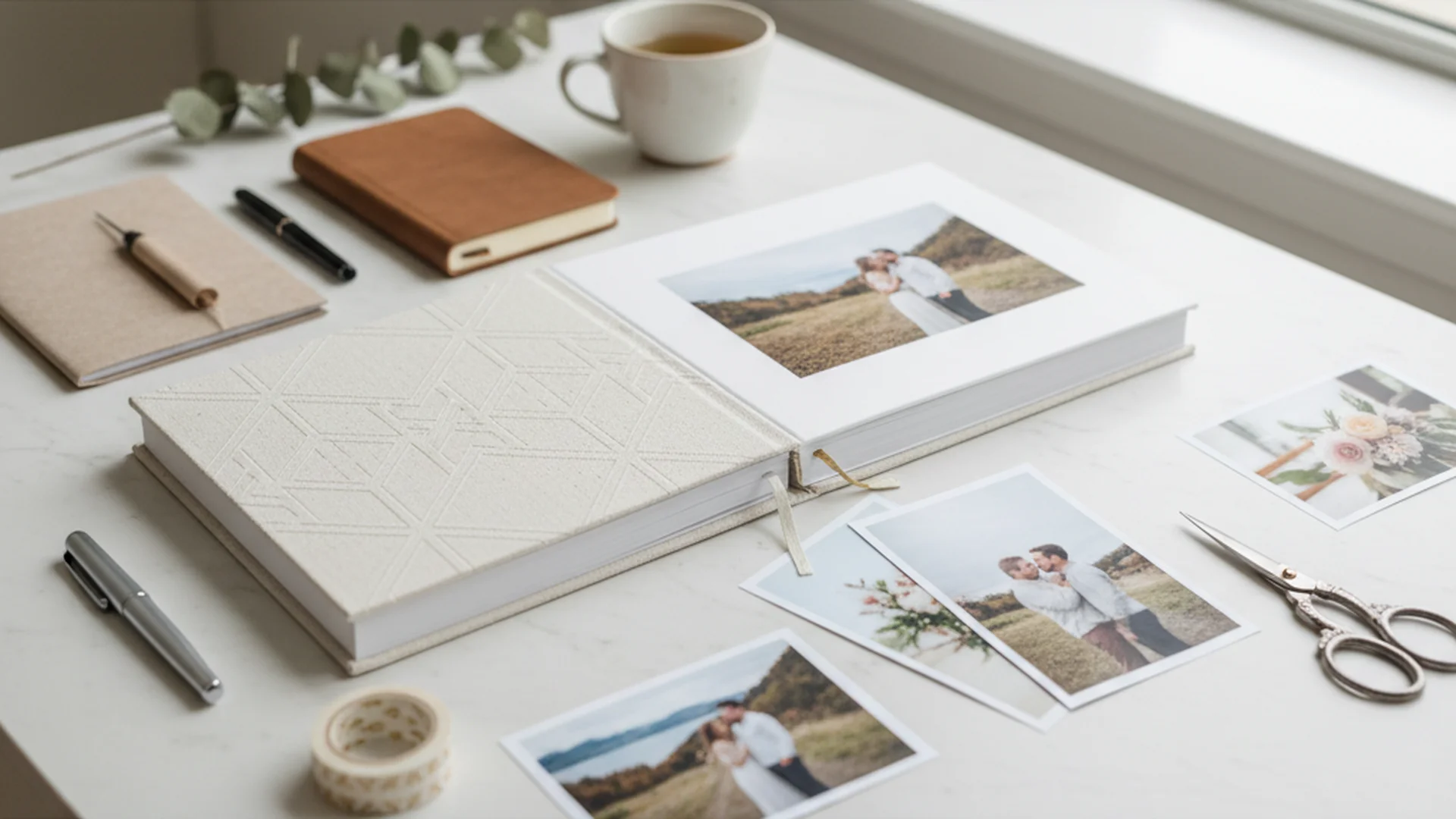
- Flush mount albums are the 2025 industry standard for durability and "lay-flat" viewing.
- Interactive elements like QR codes for video are the top emerging trend for 2026.
- Strategic "culling" of photos is the most critical step in avoiding design overwhelm.
In an era where thousands of wedding images often sit forgotten in a cloud-based gallery or on a aging USB drive, the art of Wedding Photo Album Creation has seen a massive resurgence. As we move through 2025 and into 2026, couples are increasingly viewing their wedding album not just as a book of pictures, but as a "physical heirloom"—a tangible piece of history that requires no battery, no screen, and no software update to enjoy.
As an officiant, I often tell my couples that the ceremony is the soul of the wedding, but the album is its permanent home. Creating a wedding photo album is no longer just about sticking prints into a sleeve; it has evolved into a sophisticated design process involving luxury materials, storytelling layouts, and even digital integration. Whether you are looking to DIY your project or hire a professional designer, understanding the nuances of modern album production is key to ensuring your memories last for a century.
The Evolution of the Wedding Album (2025–2026)
The global wedding photo album market is projected to reach over $4 billion by 2026. This growth isn't coming from cheap, mass-produced books, but from high-end, "Flush Mount" designs.
Currently, the flush mount segment holds over 70% of the revenue share. Unlike standard photo books where the pages are thin and flexible, flush mount albums use thick, rigid boards. The photos aren't just printed on the page; they are mounted onto the board, allowing for a seamless "lay-flat" design where an image can stretch across two pages without being lost in the middle fold (the gutter).
Professional vs. DIY: The Great Debate
While roughly 60% of modern couples initially plan to design their own albums using online software, the "overwhelm factor" is real. Between 35% and 40% of those couples eventually pivot to professional designers. The sheer volume of digital images—often 2,000 to 4,000 from a single wedding—makes the selection process a daunting task.
Tip
Choosing Your Style: Standard vs. Flush Mount
Before you begin the design process, you must choose the vessel for your memories. The industry has split into two primary categories:
| Feature | Standard Photo Book | Professional Flush Mount Album |
|---|---|---|
| Page Thickness | Thin, flexible paper | Thick, rigid board (1mm–2mm) |
| Binding | Pressed/Glued (has a gutter) | Lay-flat (no image loss in center) |
| Longevity | 20–30 years | 100+ years (Archival Grade) |
| Print Quality | Standard Inkjet | Silver Halide or Pigment Ink |
| Price Range | $50 – $300 | $500 – $2,000+ |
Note
Strategic Storytelling: How to Select Your Photos
The biggest mistake in Wedding Photo Album Creation is trying to include everything. An album is a curated narrative, not a data dump.
The "Rule of Three"
To maintain a luxury feel, limit most of your spreads (two facing pages) to a maximum of three to five images. This allows the photography to "breathe." For your most impactful "hero" shots—like the first kiss or a stunning sunset portrait—use a full-bleed layout where the image covers both pages entirely.
Organizing the Narrative
Think of your album as a movie. It needs a beginning, a middle, and an end. Follow this chronological flow:
- The Anticipation: Getting ready, detail shots (rings, shoes), and the venue.
- The Promise: The ceremony, the vows, the "I dos."
- The Celebration: Portraits, the first dance, guest reactions, and the reception.
- The Exit: The grand send-off or a quiet final moment.
Do this
Cutting-Edge Trends for 2025 and 2026
The world of wedding albums is embracing technology and sustainability in ways we haven't seen before.
Interactive Albums (AR & QR)
A major trend for 2025 is the inclusion of subtle QR codes. Imagine flipping to the page of your wedding vows and being able to scan a small, elegantly printed code that immediately plays the video of those vows on your phone. This bridges the gap between physical and digital media.
Eco-Conscious Luxury
Today's couples are demanding sustainability. We are seeing a massive rise in:
- Vegan Leather: Covers made from cork, pineapple leaf fibers (Piñatex), or recycled apple skins.
- Sustainable Papers: Bamboo-fiber paper and recycled fine art cotton.
- Plastic-Free Packaging: Albums delivered in wooden boxes or linen wraps instead of plastic sleeves.
"Magazine Style" Books
For those who find traditional albums too heavy or formal, the "Editorial Magazine" is becoming a popular secondary option. These are lightweight, soft-cover books that look like a high-end issue of Vogue. They are perfect as casual coffee table copies or as gifts for bridesmaids.
Tip
From the OurVows workspace
Organizing your wedding photos?
Collect, store, and share every photo — and keep the day's timeline tight so nothing's missed.
Real-World Examples of Album Concepts
- The Minimalist Editorial: A 12x12 album featuring only 40 photos. Each page has only one image surrounded by vast "white space" (negative space). This creates a gallery-like, high-end art gallery feel.
- The Texture-Rich Heirloom: A velvet-covered album with metallic gold embossing and an acrylic photo window on the cover. This style focuses on the tactile experience of holding the book.
- The Documentary Chronology: A 200-page book that uses a "magazine style" layout to include candid shots of nearly every guest, focusing on the "story" of the party rather than just the posed portraits.
Common Mistakes to Avoid
Even the most beautiful photos can be ruined by poor design choices. Here are the top pitfalls to watch for:
1. Ignoring the "Safe Zone"
In DIY software, many people place faces too close to the edge of the page. When the book is physically trimmed during production, foreheads or elbows can be accidentally cut off. Always keep critical elements at least 0.5 inches away from the edge.
2. Over-Processing and Trendy Filters
Avoid applying heavy "presets" or filters within the album software. Trends like "dark and moody" or "super desaturated" can look dated within five years. Stick to "True Color" editing for your permanent album to ensure it remains timeless.
3. Overcrowding the Pages
Trying to fit 10 photos on one page is the fastest way to make a $1,000 album look like a high school yearbook. If you have too many "must-have" photos, add more pages rather than shrinking the images.
4. Neglecting the Spine
It sounds simple, but many forget to label the spine. When your album is sitting on a bookshelf, you want to be able to identify it by your names and the date without having to pull it out.
Heads up
Frequently asked questions
How many photos should be in a wedding album?
What is the best size for a wedding album?
How much does a professional wedding album cost?
What is the difference between a photo book and a photo album?
How long does the creation process take?
Conclusion
The journey of Wedding Photo Album Creation is the final step of your wedding experience. It is the moment where your digital files transform into a physical legacy. By choosing high-quality materials, focusing on chronological storytelling, and avoiding the trap of overcrowding, you create more than just a book—you create a portal back to one of the most significant days of your life.
Remember that while your digital gallery is for sharing on social media today, your album is for sharing with your family thirty years from now. Invest the time and resources into making it a masterpiece.
Do this
Ready when you are
Organize Your Memories
Ready to turn your digital files into a stunning physical heirloom? Start by mastering your image organization.
Ready when you are
Plan your wedding without the chaos.
Free forever for couples just getting started. Two minutes to set up. No credit card.
Keep reading
Wedding Photo Organization Tips: From Professional Galleries to Guest Captures
Master your wedding gallery with these pro wedding photo organization tips. Learn about the 3-2-1 backup rule, folder structures, and 2025 digital trends.
Must Have Wedding Photo Moments: A Guide for 2025 and 2026 Couples
Discover the essential must-have wedding photo moments for the 2025-2026 season. From documentary-style candids to editorial trends, capture every memory perfectly.
The Ultimate Guide to Choosing a Wedding Photo Collection Tool for 2025
Discover why a wedding photo collection tool is essential for capturing every guest's perspective. Learn about QR systems, AI features, and 2025 trends.